
I know how tricky it can feel when you’re trying to get the perfect shade, but you don’t have paint or time to test ideas. That’s where mixing colors online can really help.
I’ve tried a bunch of tools, and some are much easier and more useful than others. Knowing how paint is made gave me a better sense of why certain colors mix the way they do.
Sometimes you just want to see how two colors will look together before you commit. Other times, you need a quick match for a design or project.
These tools make that process simple and fast. You can try different shades, adjust tones, and get results right away without any mess. It saves time and helps you feel more sure about your choices before you move forward.
By the end of this guide, you’ll have a clear idea of which tools to use and how to get the exact color you want with confidence.
What is Mixing Colors Online?
Mixing colors online means using digital tools to blend and create new shades instantly.
Instead of working with real paint, you can choose colors on a screen and see how they combine in seconds.
These tools follow basic color rules, so mixing works much like it does in real life. You can adjust brightness, tone, and depth until the shade looks just right.
It’s a simple way to test ideas without any mess or waste. You can try many combinations, undo changes, and keep refining your results.
This makes it useful for design, art, home planning, or learning how colors work. Many tools also give exact color codes, so you can reuse the same shade later.
How do Online Color Mixing Tools Work?
Online color-mixing tools use digital color models to combine shades and display instant results. They simulate real color blending so you can test and adjust colors easily on your screen.
- Color Selection: You start by choosing base colors using a color wheel, sliders, or hex codes.
- Digital Blending: The tool mixes selected colors using systems like RGB or CMYK.
- Real-Time Preview: Changes appear instantly as you adjust tones, brightness, or saturation.
- Fine-Tuning Options: You can tweak shade intensity, contrast, and warmth to get the exact look.
- Color Codes Output: Tools provide HEX, RGB, or HSL values for easy reuse.
- Save and Export: Many tools let you save palettes or download your final color mixes.
The Best Tools for Mixing Colors Online
Online color mixing tools make it easy to test, blend, and create shades without using real paint. They give instant results and help you find the exact color you need for any project.
Here are some of the best tools for mixing colors online:
1. Trycolors – Real Paint Mixing Simulator
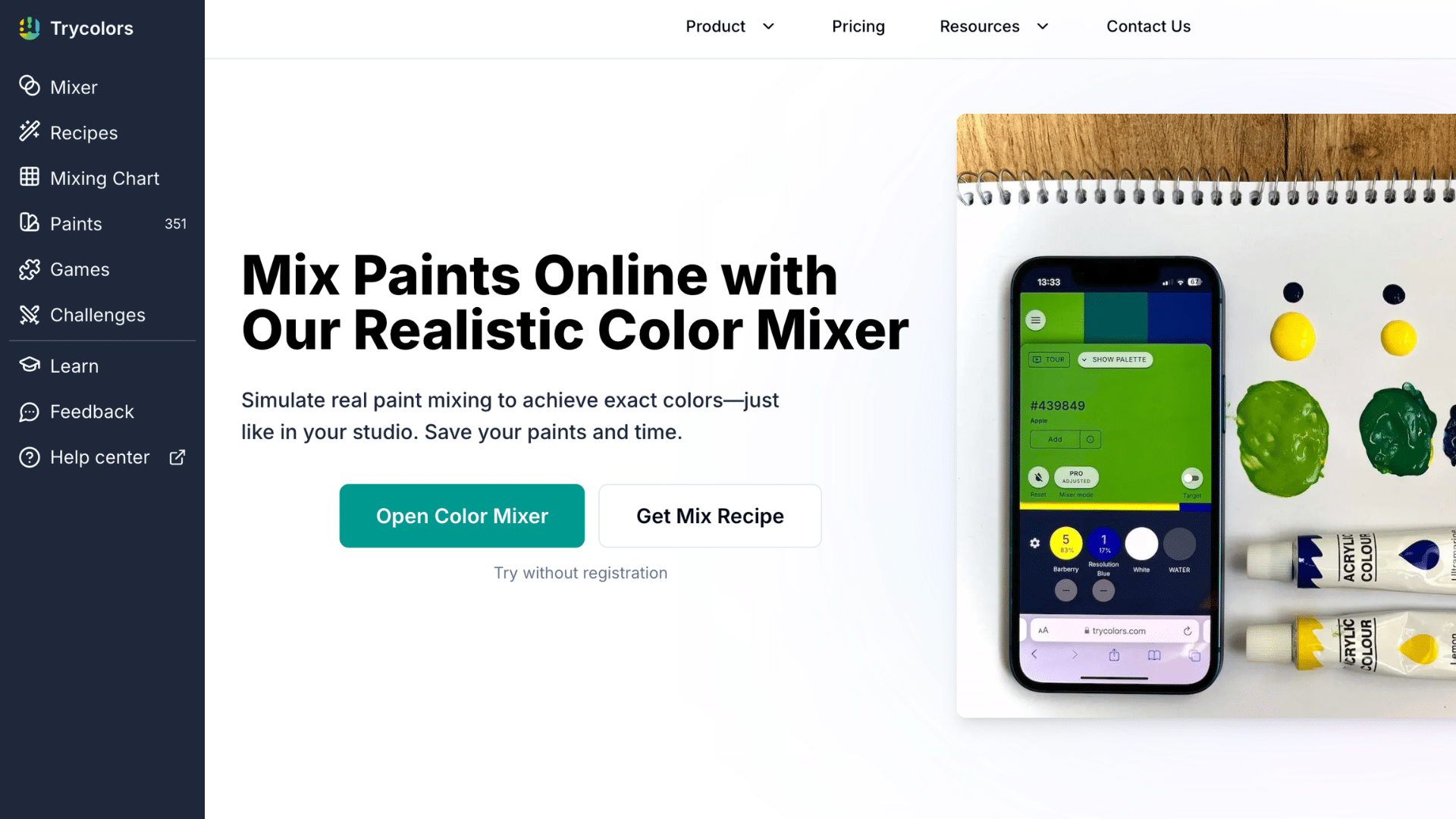
Trycolors is a digital tool that simulates real paint mixing on a virtual canvas. You can add colors, adjust their amounts, and even get exact mix recipes for a target shade.
It uses smart logic to match colors closely and shows how accurate your mix is.
A friend who paints often tried this and said it felt surprisingly close to mixing real colors, especially when testing shades before starting a project.
UI/UX Design: Clean and simple with a paint-style layout. Easy to understand, but not very modern.
| Pros | Cons |
|---|---|
| Realistic paint-like mixing | Limited advanced design tools |
| Shows exact mix ratios | Can feel basic visually |
| Helpful for learning color theory | Some features behind pro mode |
2. Color Designer – Flexible Color Mixer
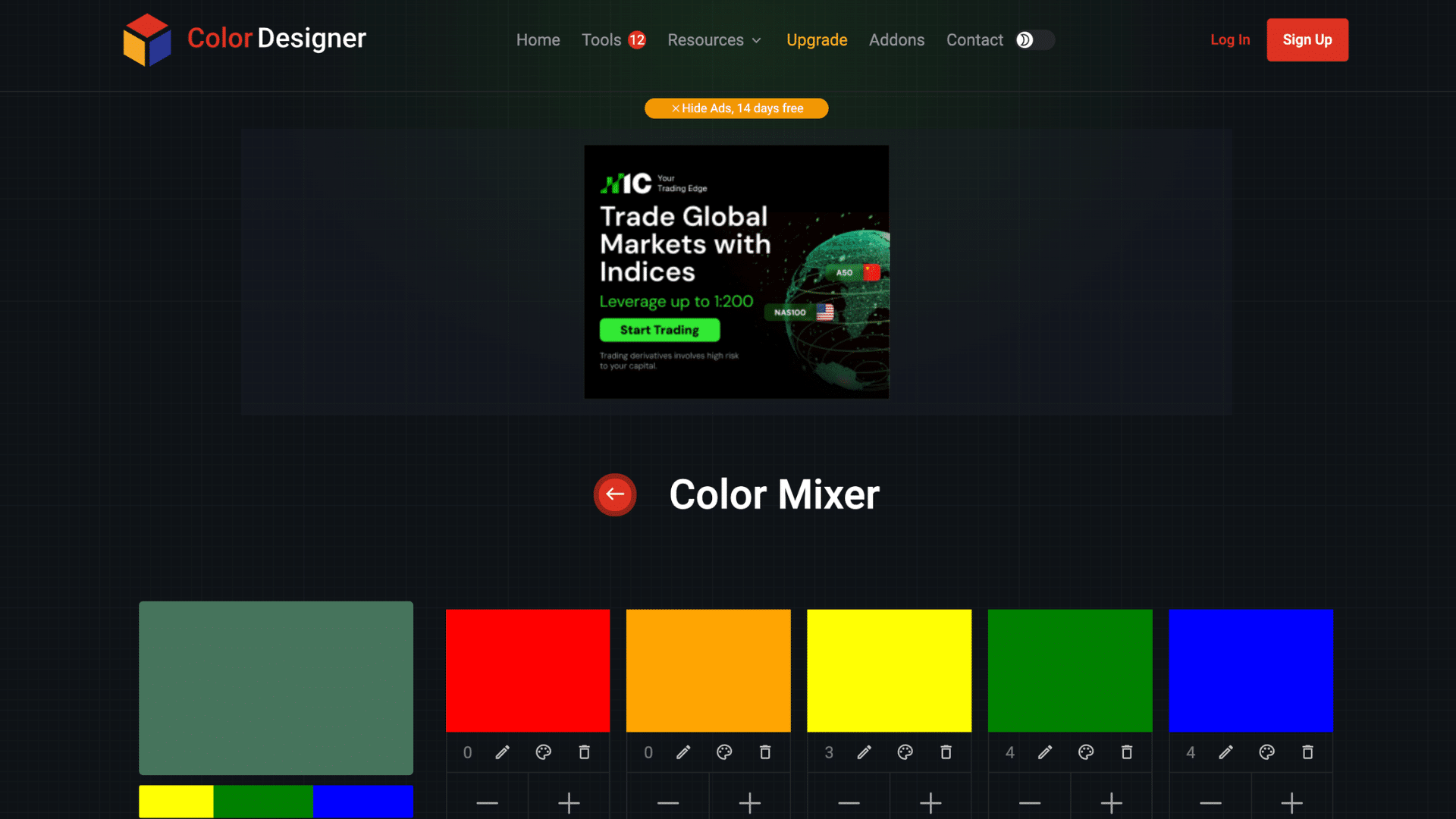
Color Designer focuses on simple and flexible color blending. You can mix multiple colors and adjust how much of each color is used to see different results quickly. It works well for testing ideas without needing technical skills.
It’s fast and easy to use, but it doesn’t fully simulate real paint mixing, so results may feel less natural. Many people like it for quick color checks when they don’t need very detailed mixing.
UI/UX Design: Minimal and smooth. Great for quick use, but lacks visual richness.
| Pros | Cons |
|---|---|
| Easy to control color quantities | Not realistic like paint |
| Supports many color formats | Slightly limited depth |
| Fast and responsive | Basic visual style |
3. Meyerweb Color Blender – Code-Based Tool
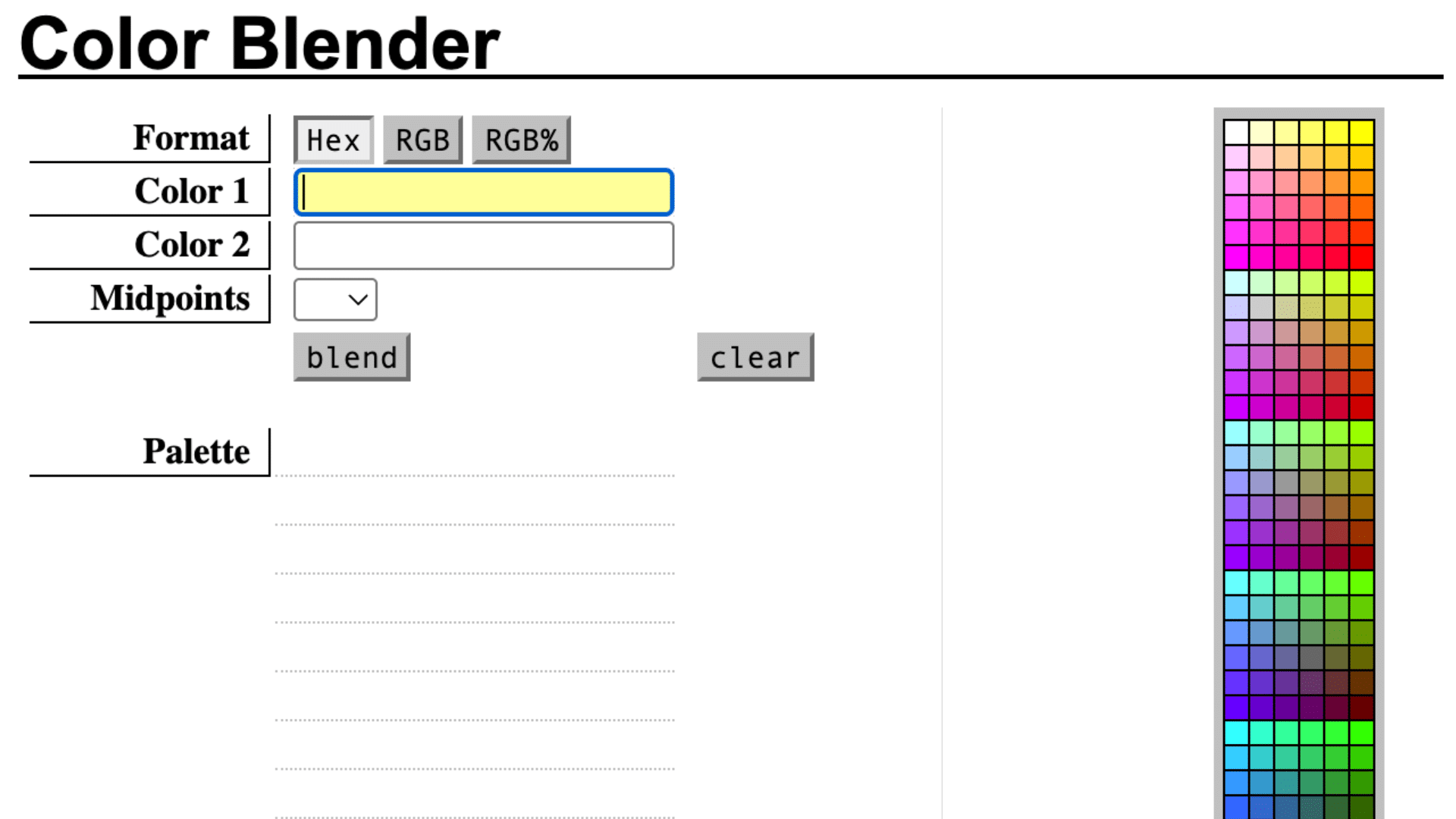
Meyerweb Color Blender is built for users who work with color codes like HEX or RGB. You enter two colors, and the tool generates blended shades and gradients between them.
It’s very accurate for web design work, but it can be confusing if you’re not familiar with color codes or technical inputs.
It’s often used by developers who want precise color transitions for websites.
UI/UX Design: Very simple and text-heavy. Built for function, not looks.
| Pros | Cons |
|---|---|
| Accurate for coding tasks | Not beginner-friendly |
| Shows multiple blend steps | Requires manual input |
| Lightweight and fast | No visual mixing feel |
4. Gradients.app – Smooth Color Mixing Tool
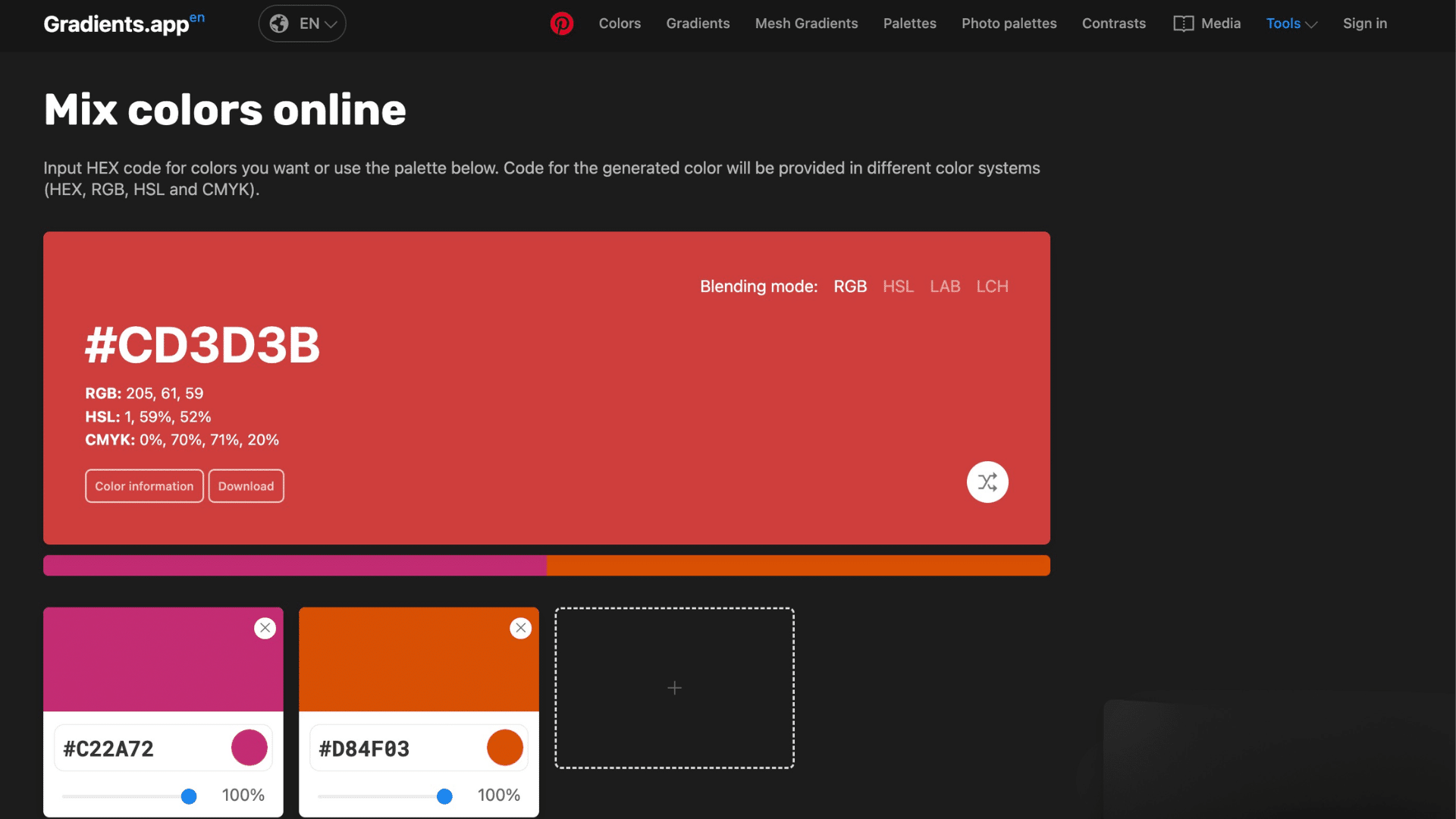
Gradients.app lets you mix several colors and create smooth blends or gradients. It also provides color values in formats such as RGB and HSL, which helps with design work.
It’s clean and modern, but it focuses more on gradients than realistic color mixing. This makes it a good choice for quickly creating backgrounds or UI designs.
UI/UX Design: Modern and clean with smooth controls. Feels polished and easy to navigate.
| Pros | Cons |
|---|---|
| Supports multiple color systems | Limited paint-style mixing |
| Allows mixing up to 8 colors | More design-focused |
| Clean output formats | Less control depth |
5. ColorKit – Palette & Blend Generator
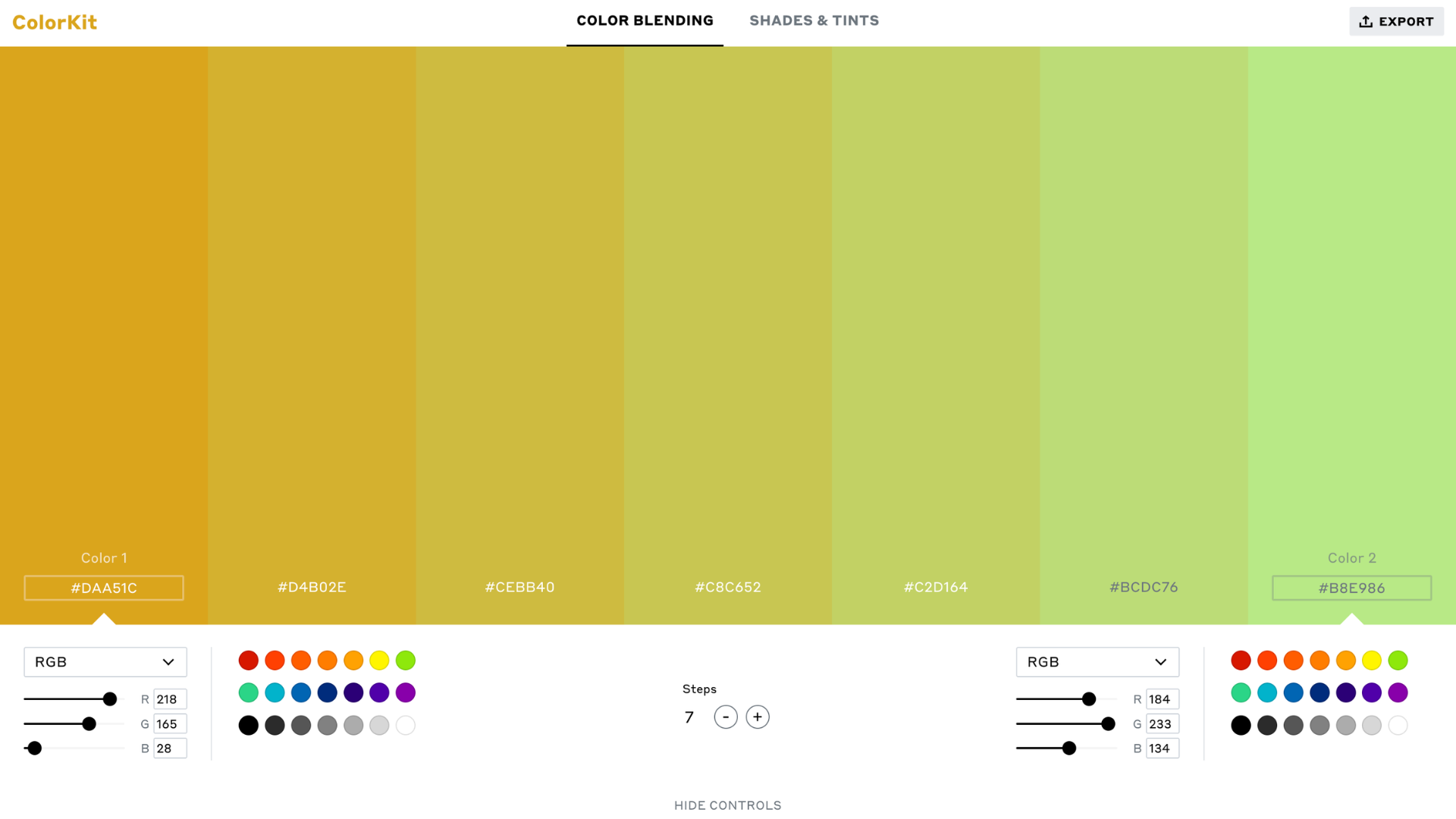
ColorKit is designed to mix colors and generate full palettes, shades, and tints. You can enter start and end colors and create smooth transitions between them with export options.
A designer I spoke with uses this tool for quick palette ideas and said it saves a lot of time when working on branding or digital projects.
UI/UX Design: Stylish and modern with many tools in one place. Slight learning curve due to features.
| Pros | Cons |
|---|---|
| Generates palettes and gradients | Less realistic mixing |
| Export in many formats | Can feel feature-heavy |
| Good for design workflows | Not focused on paint simulation |
Why Use Online Color-Mixing Tools?
Online color-mixing tools make it simple to test and create colors without using real paint. They save time, reduce mess, and give instant results right on your screen.
- Saves Time: You can test many color combinations quickly without waiting. You don’t need to mix colors again and again to get the right shade.
- No Mess: There’s no need for paint, brushes, or cleanup. Everything stays digital, so your workspace remains clean.
- Instant Results: Changes appear right away as you adjust colors. This helps you make faster, more informed decisions without guessing.
- Easy to Use: Most tools are simple and work for beginners. You can start mixing colors without any prior experience.
- Accurate Colors: You get exact color codes for reuse later. This makes it easy to use the same shade in other projects.
- Flexible Testing: Try different shades until you find the right one. You can experiment freely without wasting materials.
- Works Anywhere: Use these tools anytime on your phone or computer. All you need is internet access to get started quickly.
Benefits and Drawbacks of Online Color Mixing Tools
Online color-mixing tools offer a quick, simple way to test and create shades without using actual materials. However, they also have some limits, especially when comparing digital results to real-world colors.
| Benefits | Drawbacks |
|---|---|
| Saves time with quick results | May not match real paint exactly |
| No mess or cleanup needed | Depends on the screen quality |
| Easy for beginners to use | Limited realism in some tools |
| Provides exact color codes | Requires internet access |
| Allows unlimited testing | Can feel less hands-on |
| Works on phone and computer | Screen settings can affect colors |
| Helps in design and planning | Not ideal for texture-based mixing |
| Quick adjustments and edits | Some tools have limited features |
| No cost for many free tools | Advanced tools may require payment |
| Easy to share and save palettes | Learning curve for some tools |
Are Online Color Mixing Tools Accurate?
Online color-mixing tools are generally accurate, but results can vary depending on how they are used.
These tools rely on digital color systems like RGB or HEX, which are precise for screens and design work. They can show exact shades and provide color codes that stay consistent across devices.
This makes them very useful for web design, graphics, and digital projects.
However, accuracy may change when comparing digital colors to real paint. Screen settings, brightness, and display quality can affect how colors look.
Also, digital mixing follows light-based models, while real paint uses pigment mixing, which behaves differently. This comes down to the elements used in paint and how they react when combined.
Even with these limits, online tools are still reliable for planning and testing ideas.
They give a close estimate, helping users choose colors with more confidence before using them in real projects.
Final Thoughts
Mixing colors online can make your work easier, faster, and a lot more fun. From what I’ve seen while testing different tools, the ability to try shades instantly really takes the guesswork out.
You don’t have to keep redoing things; you can adjust, test, and get closer to the result you want without wasting time or effort.
What stands out most is how simple the process becomes, even for small projects. You can take an idea, try it out, and refine it until it feels right. Over time, it also helps you better understand colors.
Now it’s your turn. Have you tried any of these tools? Share your experience in the comments below and let others know what worked best for you!
Frequently Asked Questions
What are the Forbidden Colors?
Forbidden colors are color combinations that the human eye cannot normally see together, like reddish-green or bluish-yellow. They exist in theory but are not visible in normal viewing conditions.
What Color Calms Down Anxiety?
Soft colors like light blue, green, and pastel shades are known to have a calming effect. These colors are often used in spaces meant for relaxation.
What is the Rarest Color in Nature?
Blue is considered one of the rarest colors in nature. It appears less often in plants and animals compared to other colors.
Which Color is the Most Calming?
Light blue is often seen as the most calming color. It is linked to calmness, peace, and relaxation.
What are the Best 3 Color Combos?
Some popular combinations include blue, white, and gray; black, white, and gold; and green, beige, and brown.